Neeta Khanuja

design · 2015 to 2016

my learning lab

A self-assessment and preference exploration space that helps learners understand their own accessibility needs, set learning goals and reflect on their progress. It was part of the FLOE project at the Inclusive Design Research Centre, OCAD University, Toronto.

Inclusive Design Research Centre, OCAD University · volunteer designer · design team: Dana Ayotte, Sepideh Shahi, Neeta Khanuja · video · project wiki

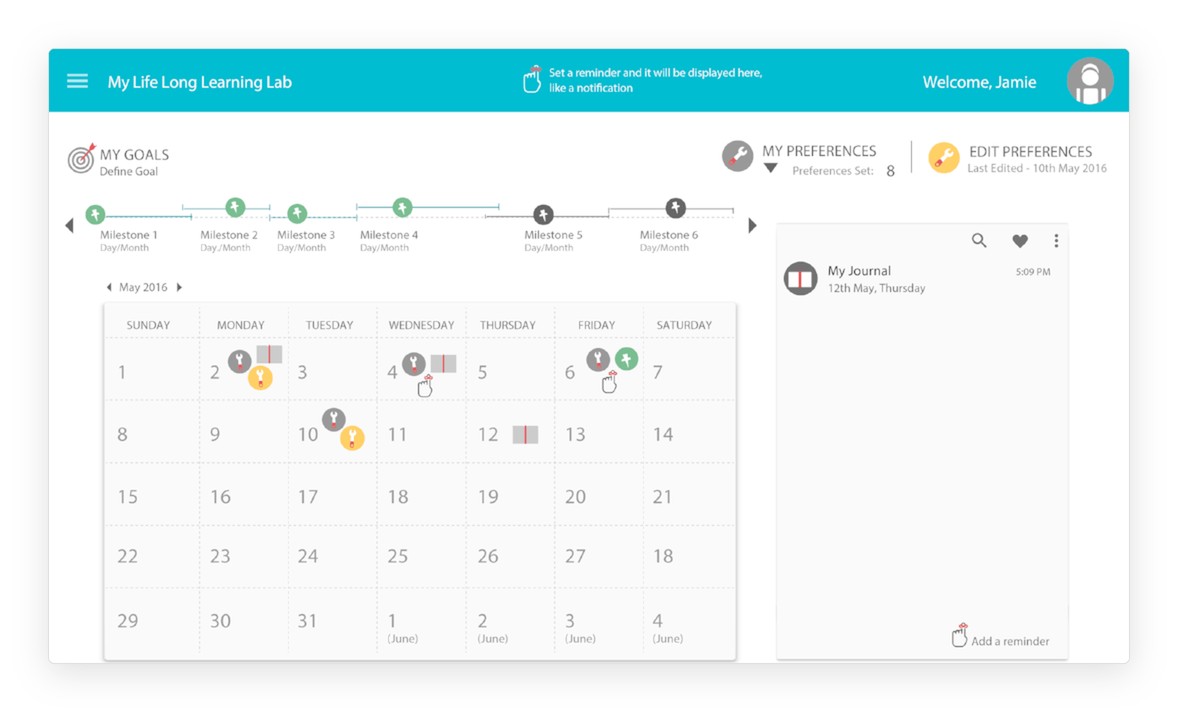
The dashboard for a learner named Jamie: goal milestones along the top, a monthly calendar with reminders and preferences, and a journal panel.
i.

learners and use cases

We wrote personas and use cases for four kinds of people: beginners starting something new, learners improving a skill they already have, experienced users of the dashboard, and the parents, teachers and peers who support them, with the learner’s permission.

use cases

  • beginners
  • enhancers
  • experienced users
  • supporters
ii.

three connected spaces

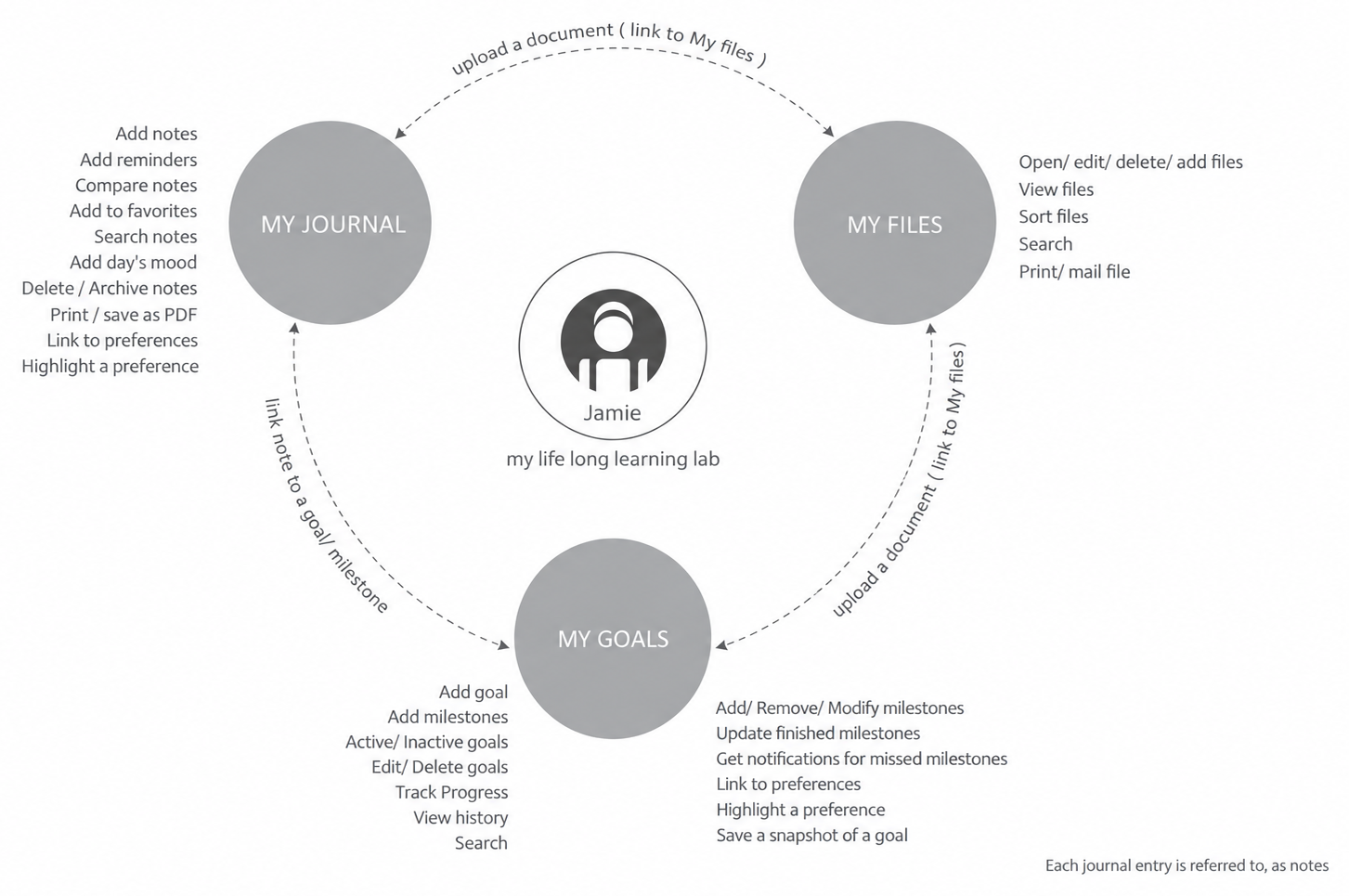
We defined the dashboard’s features around one learner, Jamie. My goals holds goals and milestones, my journal holds notes and moods, and my files holds documents. Each can link to the others: a note to a milestone, a document to a goal.

dashboard features

Brainstorm of features around Jamie: my journal, my files and my goals, linked by uploads and notes.
iii.

information architecture

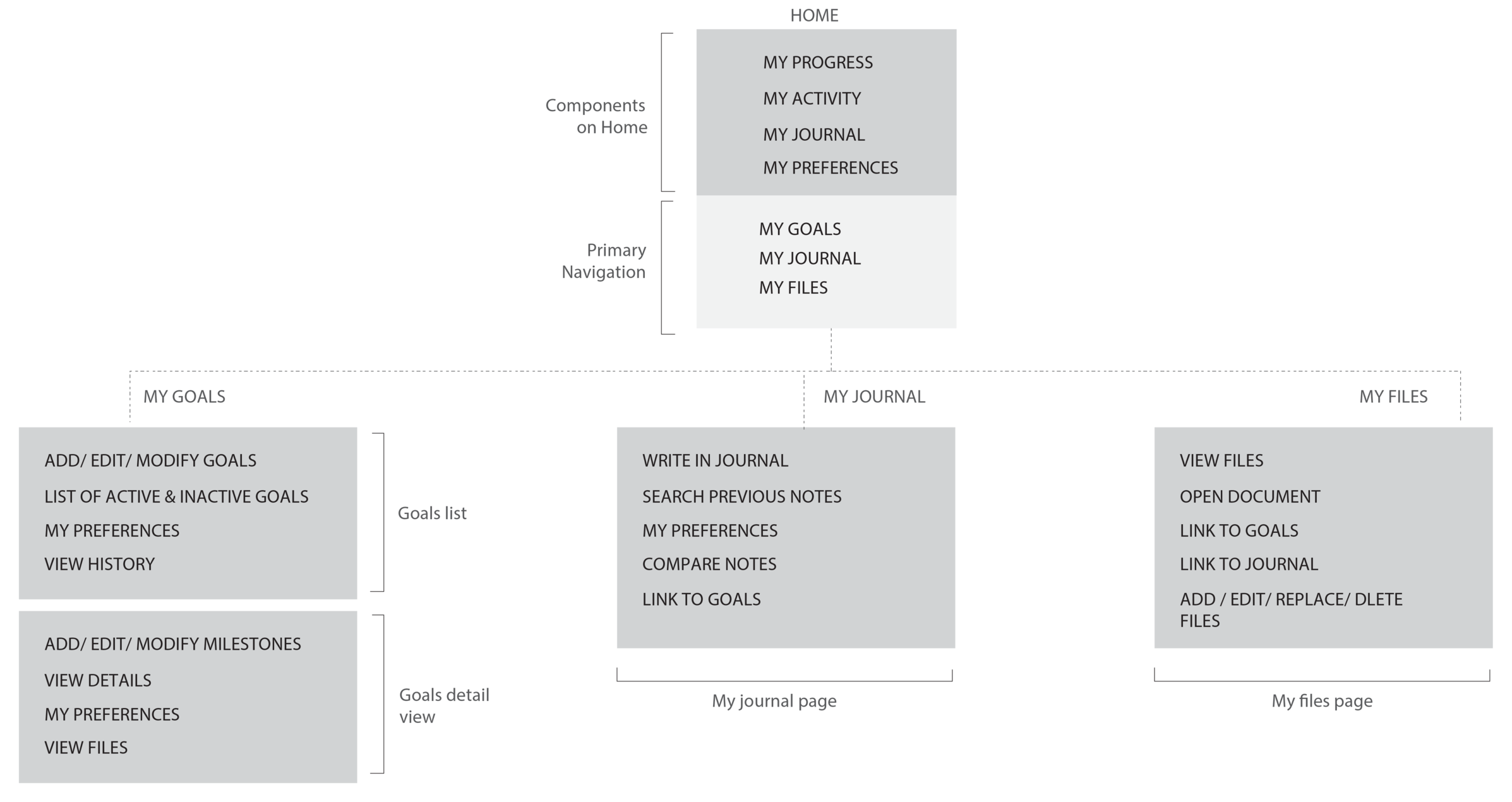
The home page shows progress, activity, the journal and preferences at a glance. Primary navigation leads to goals, journal and files, each with its own list and detail views.

Information architecture: home components and primary navigation leading to goals, journal and files pages.
iv.

a note that can become a goal

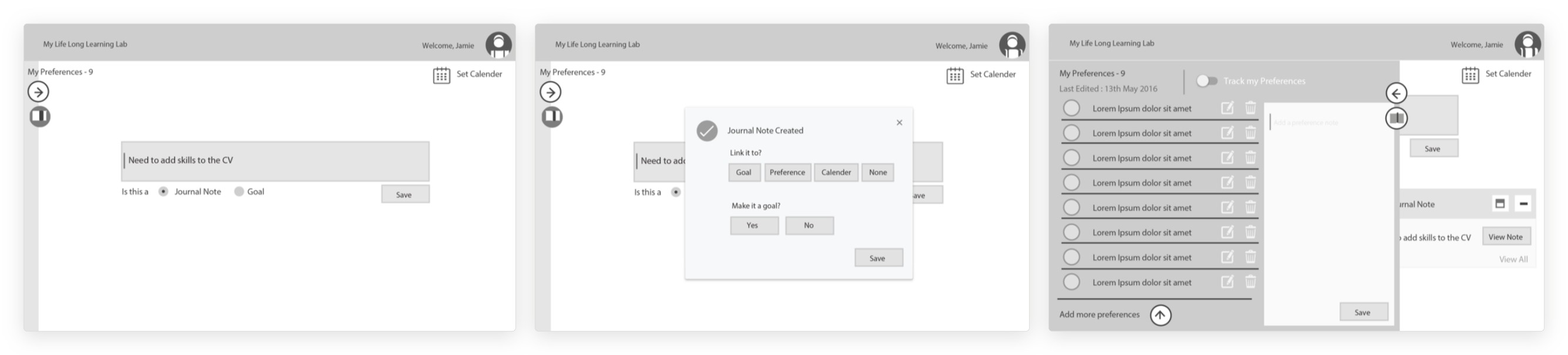
In the wireframes, anything a learner writes starts as a note. The dashboard then asks whether to link it to a goal, a preference or the calendar, or to turn it into a goal of its own.

first design draft

Three wireframes: writing a note, choosing what to link it to, and the list of preferences.
v.

from interface to prototype

We designed the interface in Adobe Illustrator and built an interactive prototype in Framer.js, so the team could try the flow from setting a goal to reflecting on it.

Framer.js prototype

“Set a reminder and it will be displayed here, like a notification.”