Neeta Khanuja

design · [year]

braille touch pad

Touch screens are flat. Braille is not. This self-initiated project designed a tangible layer that sits between a finger and a phone screen, so blind users can type in braille the way they read it.

Algo Design Studio · INSIGHT 2018, National Institute of Design

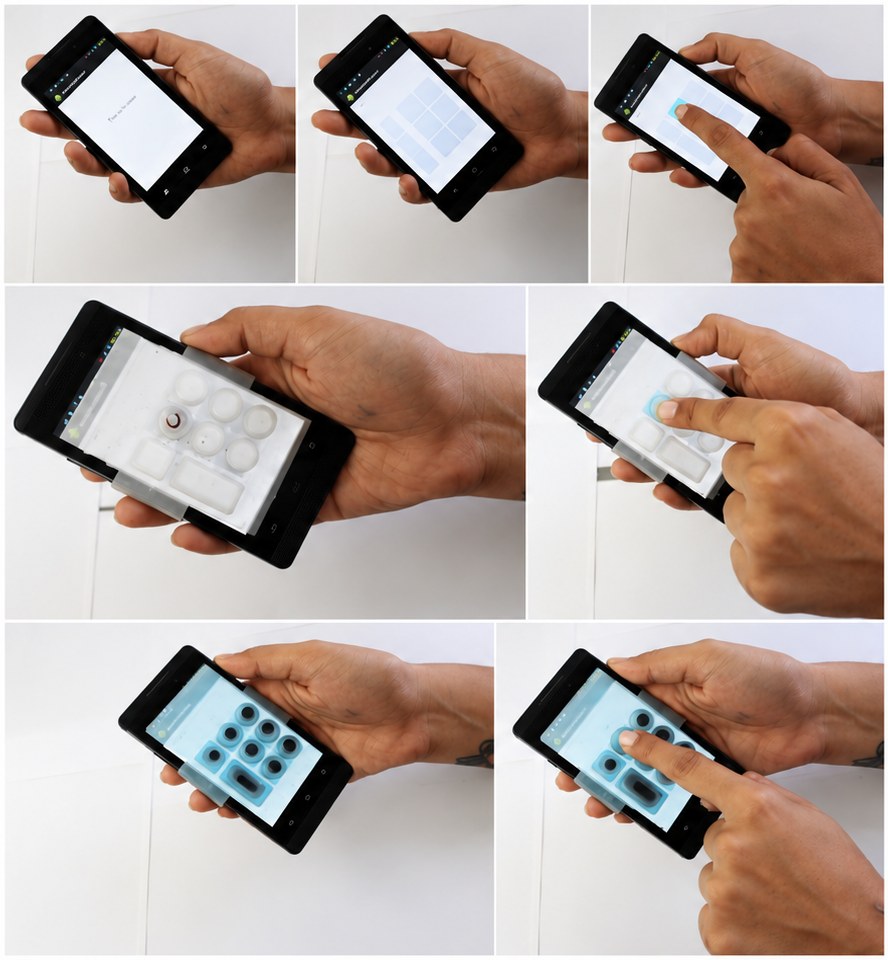
Seven photos of the explorations: a blank screen, the six-key grid, rubber and silicone layers over a phone.
From a flat screen to a surface you can feel. Top row: the six-key grid on a bare touch screen. Middle: the first layer, a rubber plate with printed braille. Bottom: the silicone layer with raised dots, cast from a mould.
i.

six keys

The screen is divided into a grid of six, arranged like the six dots of a braille cell. Pressing the right keys types a letter.

We built several keypads on Android to find the usability problems: different key sizes, a space bar and a clear button, and a QWERTY keyboard for comparison.
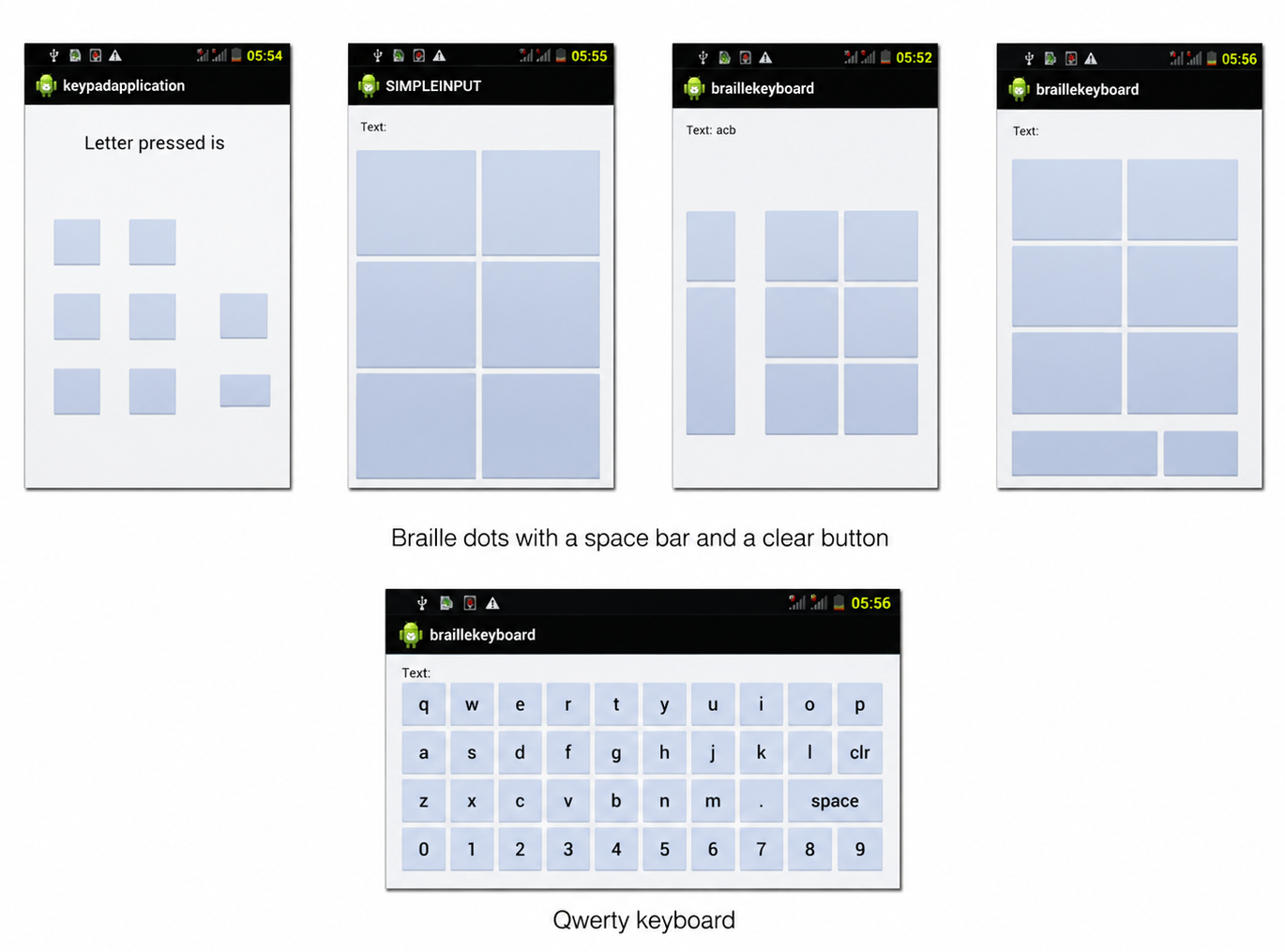
Five Android keypad iterations: braille dot grids with a space bar and clear button, and a QWERTY keyboard.
ii.

a layer you can feel

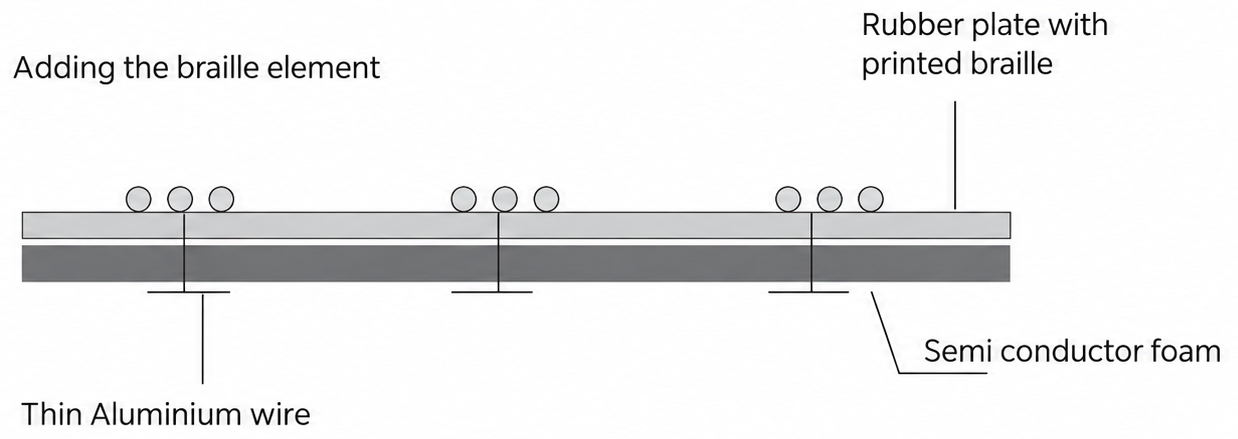
The first layer was a rubber plate with printed braille over semiconductor foam, with thin aluminium wire so a touch still reaches the screen.

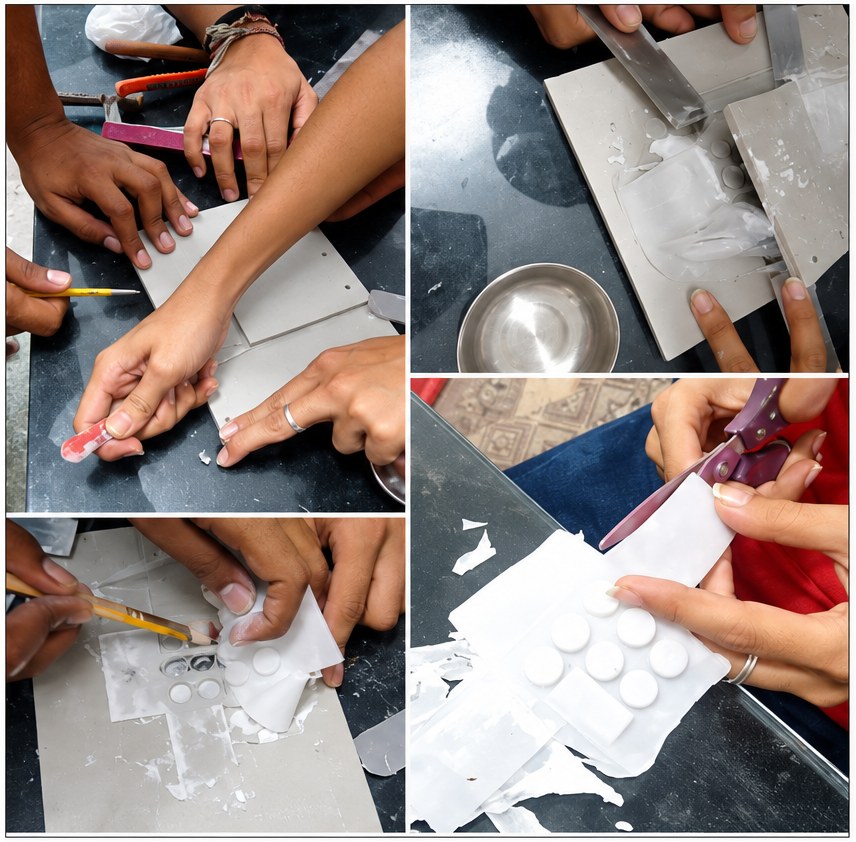
Then a mould made at the CEPT University fabrication lab, Ahmedabad, gave a silicone surface with raised braille.

Diagram: rubber plate with printed braille on semiconductor foam, with thin aluminium wire. Hands making the silicone mould and cutting the raised braille surface.
iii.

testing at L.V. Prasad

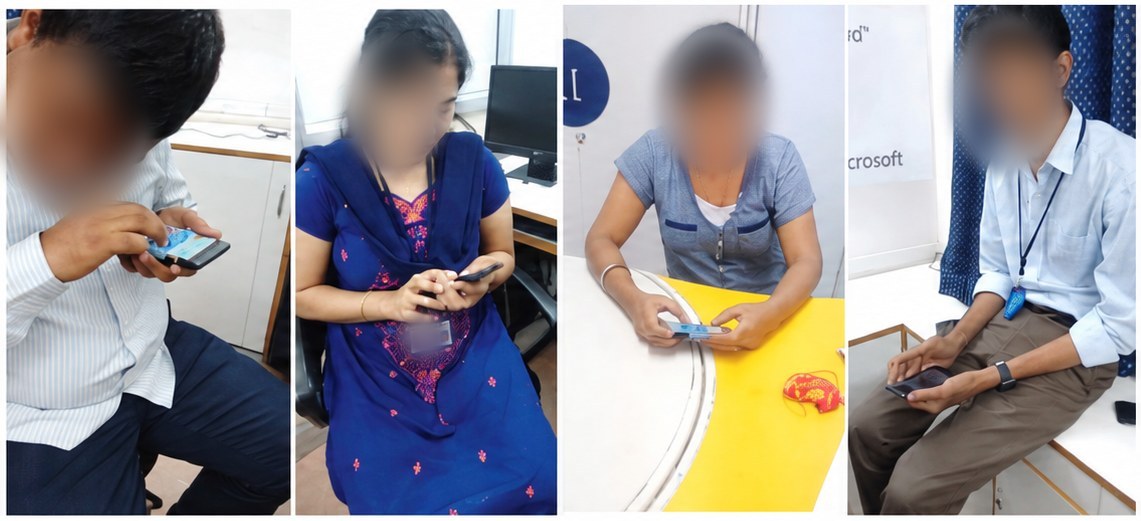
We ran an informal test with blind users at L.V. Prasad Eye Institute, Hyderabad. They asked for immediate audio feedback, time to finish a letter, enough space between keys and a way to delete one letter instead of the whole message. Pressing keys one after another felt easier than pressing them together.

Four participants at L.V. Prasad Eye Institute trying the braille pad on phones.
iv.

from typing to learning

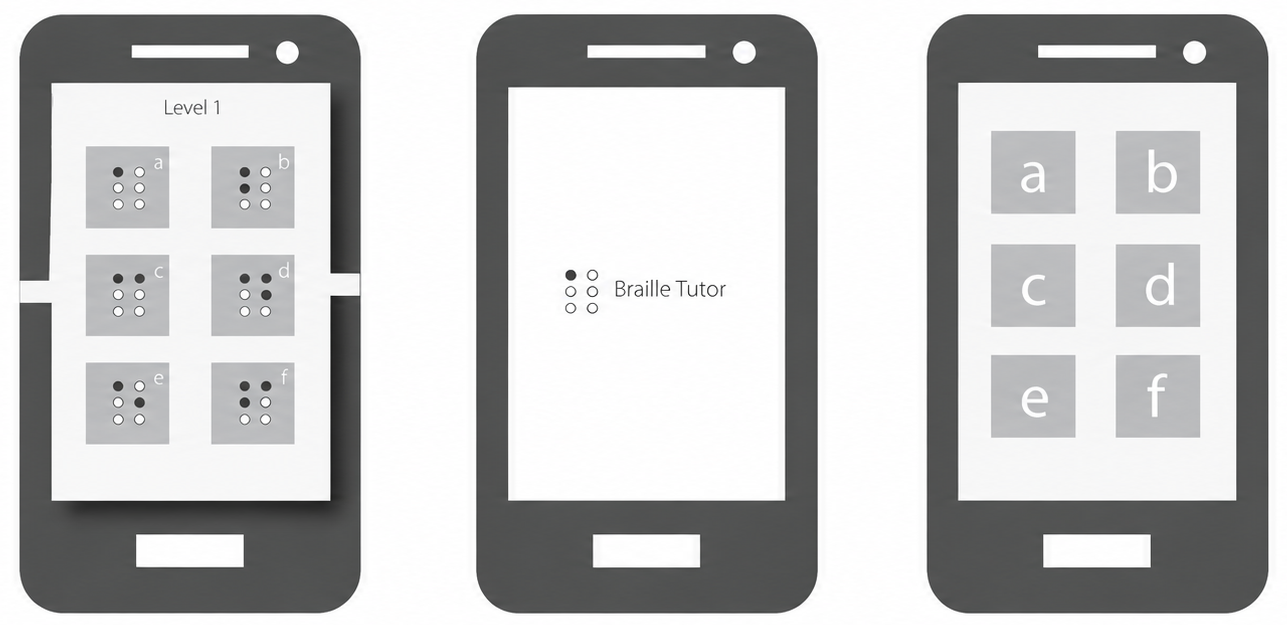
The tests pointed to a better use: learning braille. In a braille tutor game, a story plays as sound and pauses until the child presses the right letter on the pad.

Three screens of the Braille Tutor: level 1 with braille letters a to f, the title screen, and the letters a to f.