Neeta Khanuja

design · 2018

smart room signs

Room signs must carry raised numbers and braille, but there is a limit to how much they can hold. For blind and visually impaired people, the hardest part of indoor wayfinding is often the last step: confirming they have reached the right room.

We designed a low-cost smart sign. A tactile NFC tag on an existing room sign opens the room’s number, name and description on a phone, as text and audio. We then tested it with ten blind, visually impaired and sighted people.

IDeA Center, University at Buffalo · design internship · with Hemchand Subramanyam and Edward Steinfeld

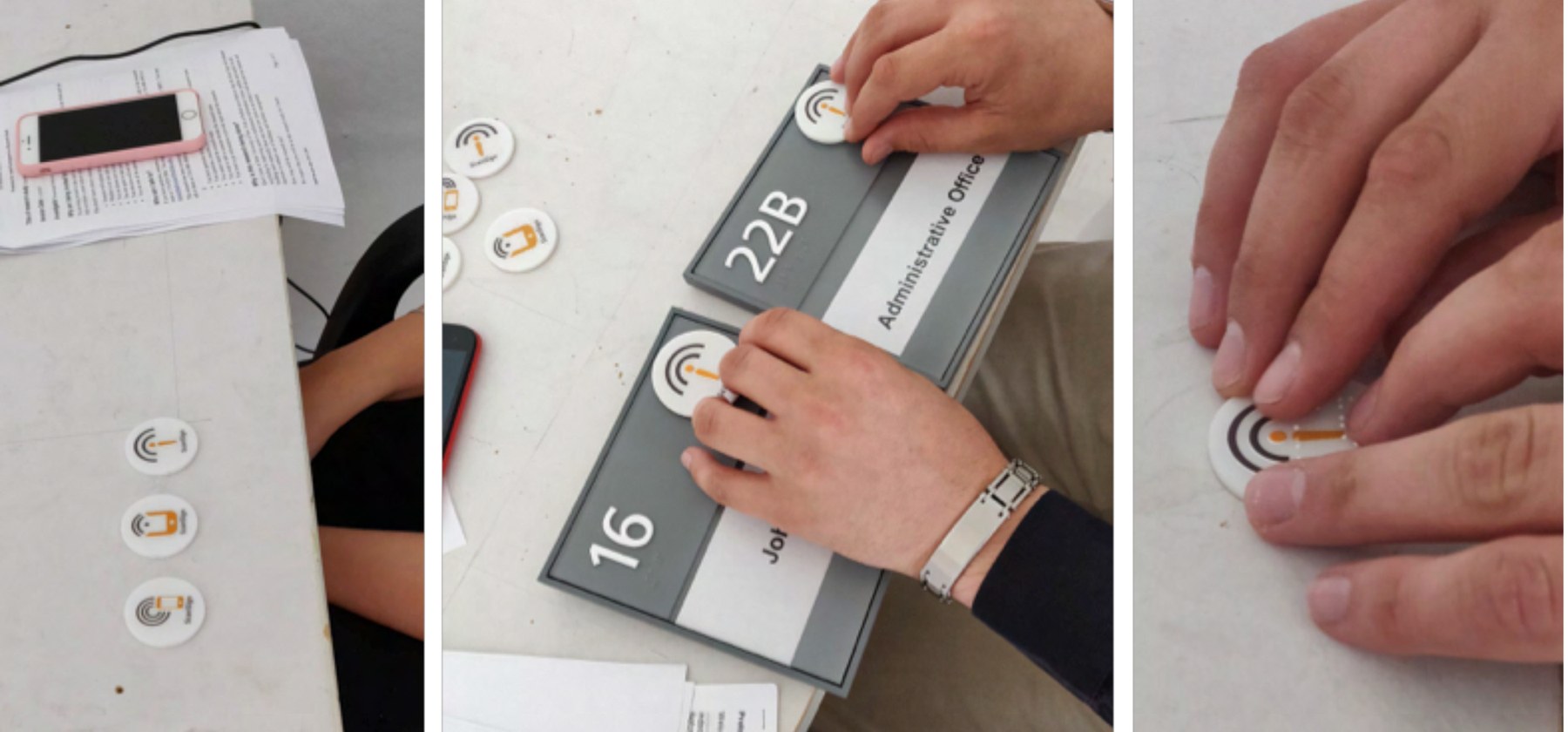
Hands exploring the acrylic tag disks on a table, and fingers finding a tag on a room sign next to its raised number.
i.

why NFC

Other technologies can make a sign speak, but each has a cost for a building. An NFC tag is passive, cheap and needs no power, and a phone reads it at close range.

  • QR codesHard to aim a camera at and hold steady without sight.
  • infrared signsSpeak the sign aloud, but cost too much to install and maintain.
  • RFIDRead from further away, but need a powerful reader and a network.
  • beaconsNeed batteries, and one beacon per room sign is not practical.
ii.

a tag you can feel

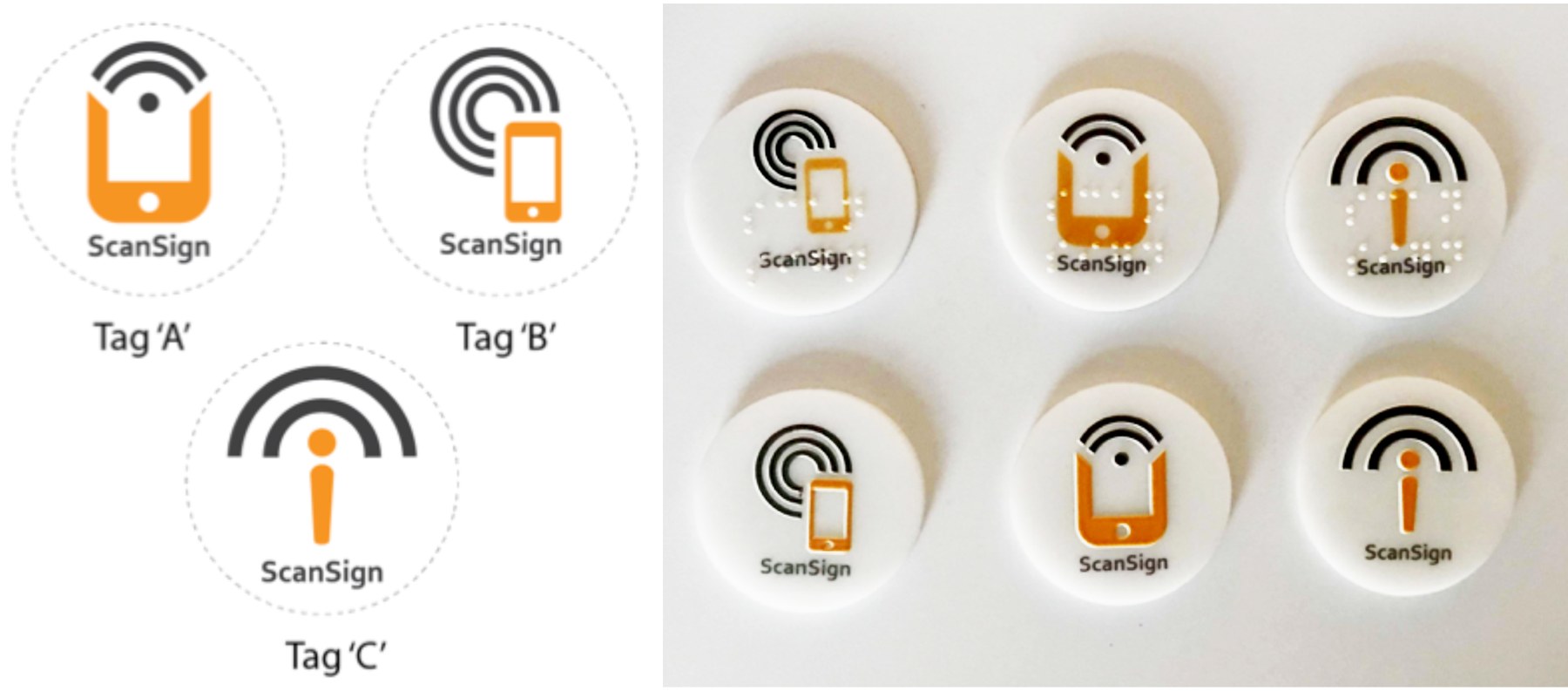
NFC tags sit behind round acrylic disks. A UV printer raised an icon and a label on the front. We tested disk thicknesses so the tag still reads, designed three icons that suggest scanning with a phone, and made each in 1.5 and 1.75 inch sizes, with and without braille.

Three tag icon designs, A, B and C, and the printed acrylic disks with raised icons.
icon designs A, B and C, and the printed disks
iii.

the ScanSign app

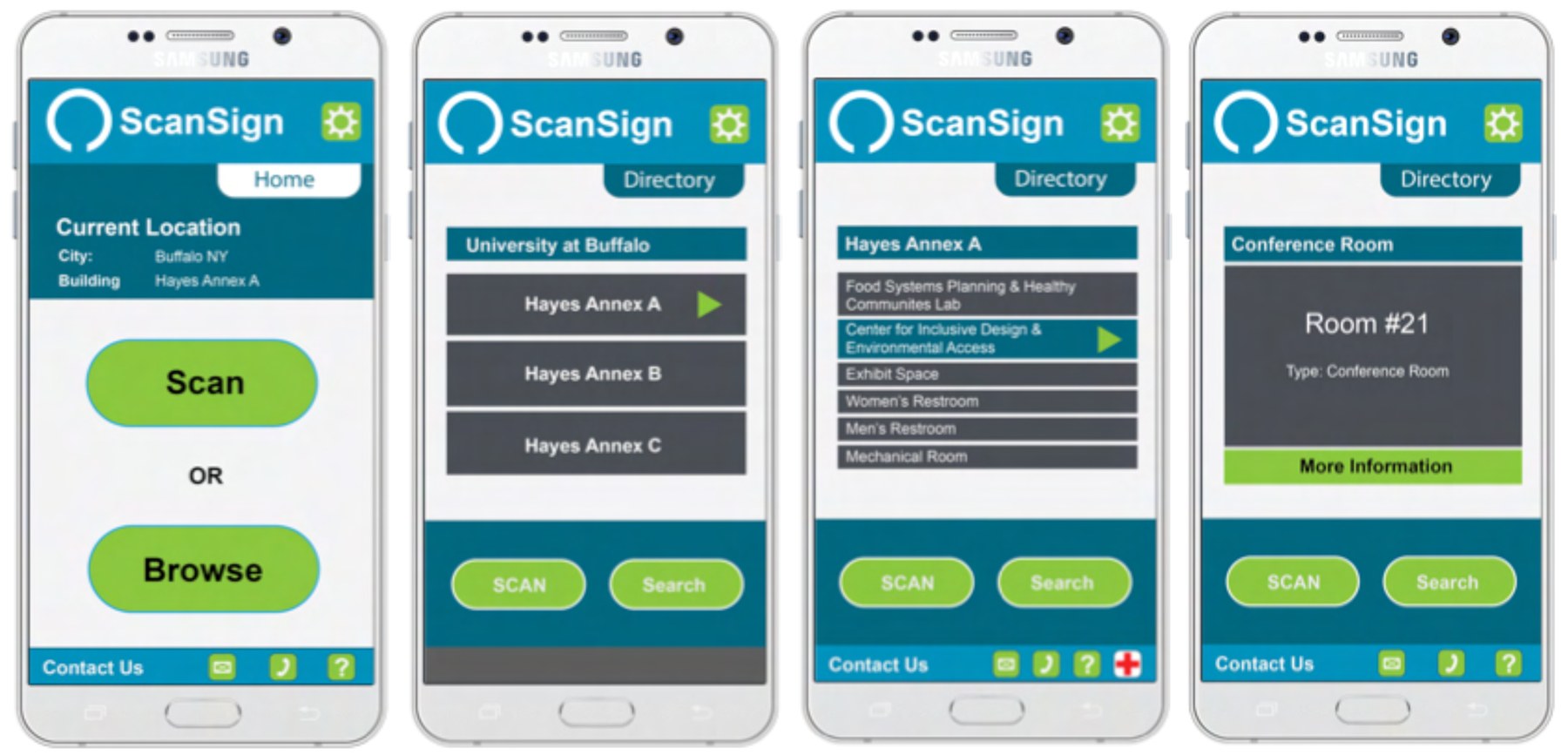
The app does two things. Scan confirms a destination: hold the phone to the tag and hear the room number, name and description. Browse lists a building’s rooms with their floor and details. Everything is shown and spoken.

Four ScanSign screens: scan or browse, the building directory, a room list and a room’s details.
iv.

a usability study

Ten people aged 18 to 55 took part at Hayes Annex, University at Buffalo, with IRB approval: four blind, one visually impaired and five sighted. Eight of the ten relied on room signs to find their way indoors.

  • interviewHow they find their way now, and with which tools.
  • iconsFeel each icon, say what it suggests, then again after a demonstration.
  • preferencesChoose an icon, a size and, for braille users, braille or not.
  • scanFind the tag on a room sign and scan it, three times per tag.
  • browseFind a room’s information in the app’s directory.
  • closingLearning curve, concerns and what they liked.
v.

finding and scanning

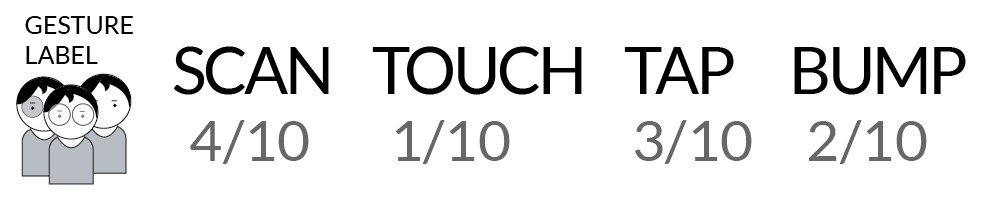
Everyone found the tag on the sign easily, and nine of ten scanned it without help. Asked to name the action, people used four different words.

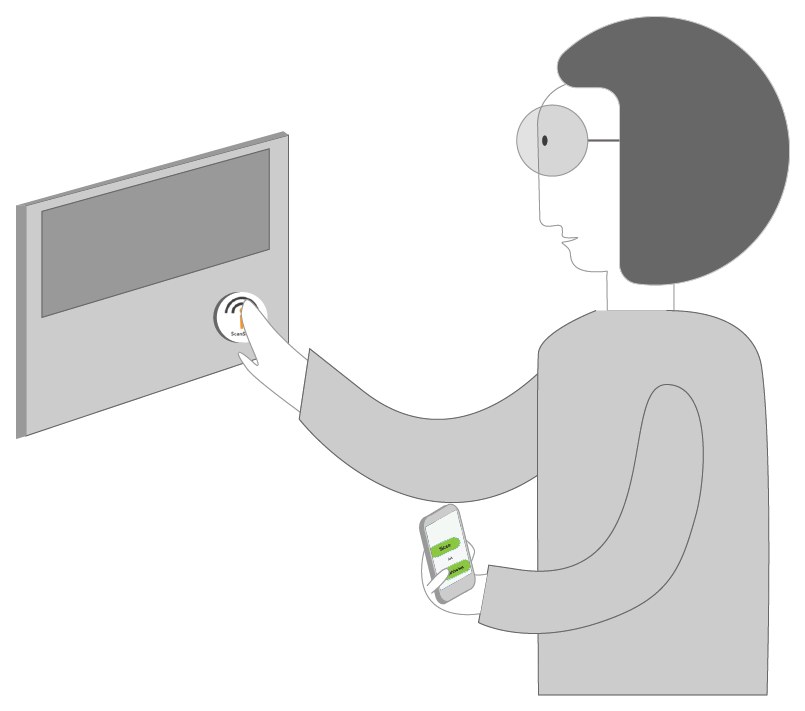
Illustration: a person finds the tag on a room sign by touch.
finding the tag
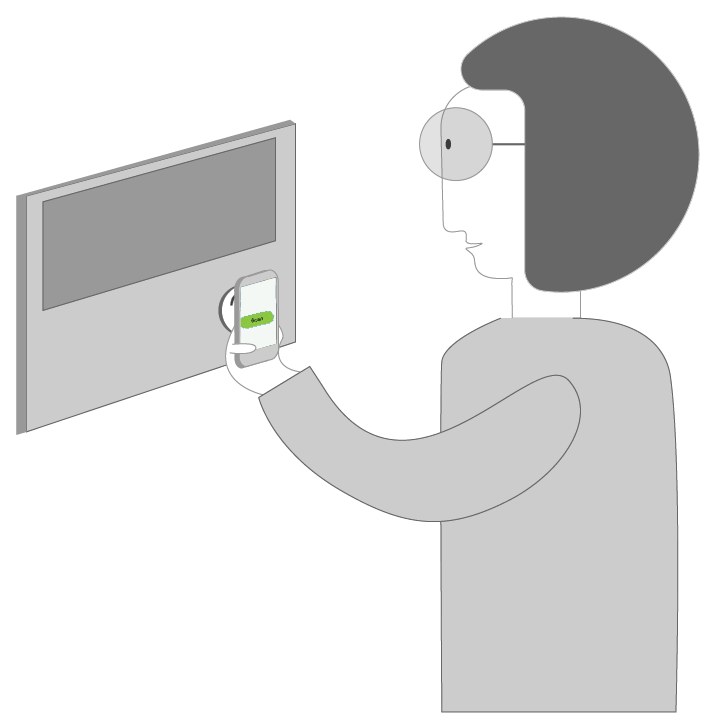
Illustration: a person holds a phone to the tag on the sign.
scanning it
Gesture labels: scan 4 of 10, touch 1 of 10, tap 3 of 10, bump 2 of 10.

design insights

The study was a pilot with ten people. These are the insights it offers for designing tactile, phone-readable signs.